SteerLatch for ecommerce: AI-assisted catalog, orders and customer support
Practical SteerLatch workflows for checking product catalogs, analyzing order exports and drafting support replies without automating sensitive decisions.
Online stores generate many files: catalogs, order exports and customer requests. SteerLatch allows a compatible assistant to work on an authorized computer. The aim is to prepare and check repetitive tasks, not to hand over uncontrolled management of the store.
Four practical workflows
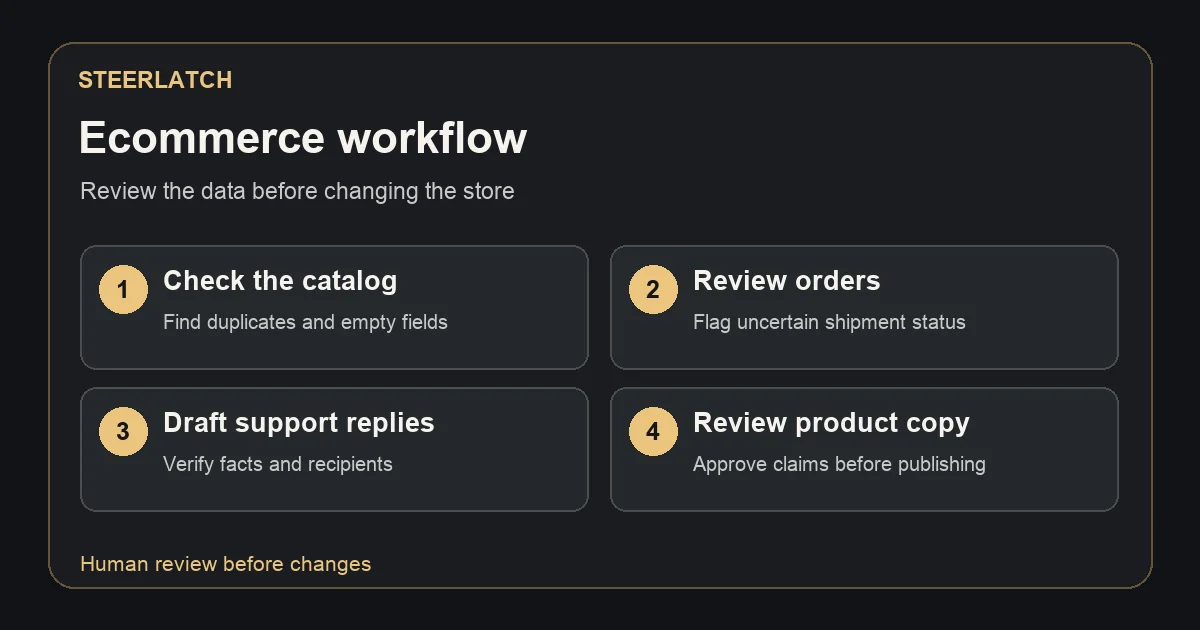
1. Check a product catalog
Use a fictional CSV export. Ask for duplicate product IDs, blank fields and inconsistent prices. Require the source rows in the report. Do not publish corrections automatically.
2. Prepare order tracking
Group rows from a test export by status and flag records that need review. An outdated export does not prove the current delivery status.
3. Draft customer support replies
Prepare drafts for fictional delays, exchanges and damaged products. Verify terms of sale, order details and recipients before sending anything.
4. Review a product listing update
Compare a proposed description with a reference listing. Manually check dimensions, specifications and claims. Keep publication subject to human approval.
An instruction to try
In Test-Shop, analyze the fictional CSV only. Create a separate report of duplicate IDs and missing fields. Propose corrections without applying them or changing the store.
What SteerLatch does not replace
SteerLatch is not an ecommerce platform or customer service suite. Prices, refunds, payments, publications and customer data must remain subject to your company’s controls.
Getting started with SteerLatch
Visit the official SteerLatch website, review the plans and documentation. The trial includes three computers and 5,000 MCP calls per month for three months, without a credit card. Start on fictional data, verify each result and revoke unused access.
SteerLatch guide to checking documents · SteerLatch documentation · All guides by profession